
Parental Controls Compared: Which Tools Actually Protect Kids Online?
Built-in settings, paid apps and platform teen modes each guard a different risk, and children tend to slip through the spaces between them.
Most parental controls fail at the same point: the distance between the device a child owns and everywhere that child actually goes online.
A study that tested 86 child-safety features across Instagram, Snapchat, TikTok and YouTube found that 51 did not work as promised.
Trending Now!!:
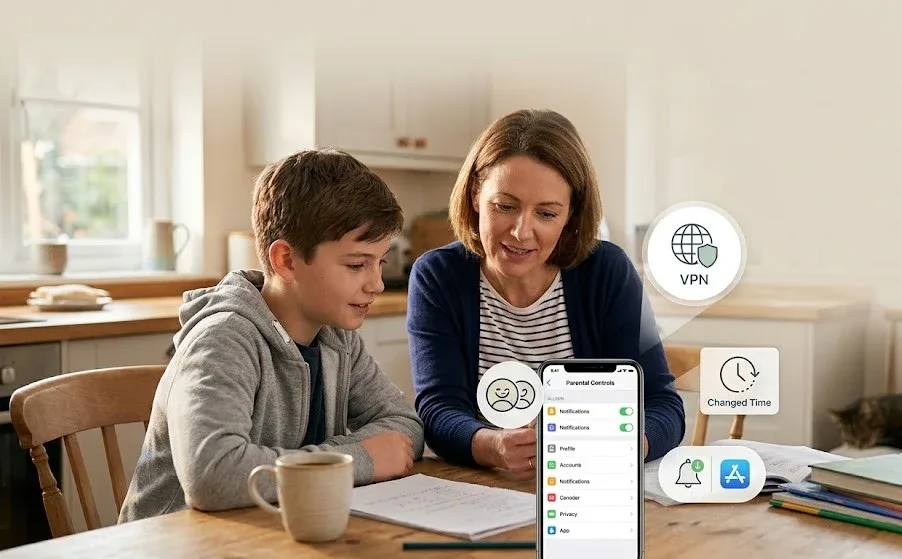
UK government research on circumvention found that around a quarter of British children use a VPN, a tool that can carry traffic straight past many filters.
The tools that protect kids best are matched to the child’s age and the family’s devices. Built-in controls from Apple, Google and Microsoft handle limits and approvals, a paid app such as Bark or Qustodio adds alerts and cross-platform coverage, and regular conversation covers what software cannot see. No single product does all three.
The useful question is not which app ranks first but which risk needs covering. Parental tools address five separate problems: how long a child is online, what content appears, who can make contact, what is said in private conversations, and whether the child can undo the controls.




Built-in tools are strong on the first three and weaker on the fourth. The fifth undermines all of them.
What the Built-In Controls Cover
Built-in controls cost nothing and sit deep in the operating system, where third-party apps are not allowed to go. They also share a structural weakness: each one governs only its own ecosystem.
Apple Screen Time and Child Accounts
Apple requires a Child Account, tied to a parent’s Family Sharing group, for anyone under 13, and offers it up to age 18.
Teens aged 13 to 17 now receive age-appropriate defaults, including content filters and Communication Safety, whether or not their account was created as a Child Account.
Two recent additions matter more than they sound. Parents can approve a child’s request to contact a new number directly from Messages, which closes a common route for strangers. Communication Safety, which blurs nudity, now also intervenes in FaceTime video calls and in Shared Albums in Photos.
The Declared Age Range feature lets parents choose whether an app learns a child’s age bracket, always, on each request, or never, without revealing a birth date. Its value depends on developers adopting it, and how consistently they do is still an open question.
Screen Time limits time, blocks categories and gates purchases through Ask to Buy. It does not show what a child writes in messages, and it covers only Apple hardware.
Google Family Link
Google Family Link is free and manages a child’s Google account and Android device: app approvals, time limits, location and supervised YouTube settings.
Parents can run it from an iPhone through the Family Link app, which makes it workable for a household where the parent uses Apple and the child uses Android. The reverse does not work, so an Android-using parent cannot use it to manage a child’s iPhone.
Its control follows the child’s Google account. A child who borrows a friend’s device or signs in with a second account is outside it.
Microsoft Family Safety
Microsoft Family Safety covers Windows PCs, Xbox consoles and Android phones, with a companion app on iOS and Android. It offers screen-time limits, location alerts and activity reports. It is the natural choice for a household built around a family PC or console.
Its web filtering works through the Edge browser, so installing Chrome is the standard workaround unless parents block other browsers.
Where Paid Apps Earn Their Fee
Paid apps sell three things the built-in tools lack: one dashboard across iPhone, Android, Windows and Chromebook, alerts on what a child encounters and visibility into apps and videos.
They fall into three designs. Filters block, limits schedule, and monitors alert. Parents often buy a monitor when what they need is a limit.
Bark is the monitoring specialist. It scans texts, email, YouTube and more than 30 social platforms and sends alerts about concerning conversations instead of handing over every message.
Alerts are not instant because the system analyzes whole conversations. Its premium plan, which covers text monitoring, lists at $14 a month or $99 a year for unlimited children and devices.
Qustodio is the cross-platform generalist, known for detailed activity reports, YouTube visibility and a free tier that makes it easy to test before paying.
Net Nanny is the filtering specialist. It cannot monitor calls or texts on phones.
Aura bundles parental controls with identity-theft protection and a VPN. This suits families that want the bundle and means paying for extras for families that do not.
The iPhone is the biggest asymmetry. Apple blocks third-party apps from reading messages the way they can on Android, so Bark relies on a sync that scans texts, photos and videos while the device charges and some apps, Discord among them, get no coverage on iOS. A parent comparing coverage claims should ask which operating system the claim applies to.
At a listed $99 a year, a household with three children pays about $33 per child. That arithmetic favors paid tools only in large families or mixed-device homes. A family with one child on one iPhone gets most of the value from Screen Time alone.
Platform Safety Tools Are a Separate Layer
Teen modes inside social apps are not parental controls, and their track record is weak. A report led by former Meta engineer Arturo Bejar with four nonprofit groups, and corroborated by researchers at Northeastern University, tested 47 safety tools that Instagram promised for teens.
Eight worked as advertised, nine reduced harm with limitations, and 30 were ineffective or no longer available. Meta disputed the findings, saying several tools worked as designed but were marked down because researchers wanted them to go further, and that teens placed in the protections saw less sensitive content and used the app less at night.
A wider study by New York University and Northeastern University researchers, including Laura Edelson, tested 86 features across four platforms. Thirty-five worked as promised, and 51 did not. The study excluded parental controls and examined only tools that kids and teens can switch on themselves.
The practical consequence is a ranking of trust. Device-level controls come first, because a parent configures them. In-app teen settings come second, and a parent should check them directly instead of assuming a “teen account” label means the defaults hold.
Linking a child’s account to a parent’s supervision tools helps, though the same report found those tools unlikely to be used by many parents.
When monitoring surfaces an adult soliciting a child, the evidence matters more than the confrontation. Screenshots should be kept and the report made to the police or, in the United States, the NCMEC CyberTipline. A child showing signs of self-harm needs a doctor or counselor, not a better filter.
How Children Get Around Controls
Circumvention is usually curiosity, not malice, and it follows a short list of routes:
- A second browser installed to escape filters built for the default one.
- A VPN, which hides the sites a child visits from filters and monitors.
- A new account on a social app, which starts without the supervision settings.
- A borrowed or school device, which no home setting reaches.
- A reset of the device, which can wipe locally installed control software.
The UK government’s research found lifetime VPN use rising from 17% of 11- to 12-year-olds to 31% of 16- to 17-year-olds.
Ofcom has pointed parents toward router-level controls that can block VPN use, and app-store alerts that flag when a child downloads one.
One decision rule cuts through the options: any control a child can disable without a parent being notified is a suggestion, not a control. A tool that fails this test still has uses, but it should not be counted as protection.
Does Monitoring Backfire?
The evidence on monitoring is mixed and mostly correlational. A University of Central Florida study of 215 parent and teen pairs found that authoritarian parents were the most likely to use parental-control apps.
Use of the apps was associated with teens reporting more online risks, including harassment and unwanted explicit content, not fewer. Association does not prove the apps caused the harm, since worried families may adopt them after trouble starts. Lead researcher Pamela Wisniewski cautioned that the apps are not a “magic bullet”.
An earlier analysis of 74 Android safety apps found that 89% of their features were built around parental control, and only about 11% supported teen self-regulation.
Focus groups with 16- and 17-year-olds at the Oxford Internet Institute point the same way: effectiveness and acceptability depended on open communication and respect for growing autonomy. Teens tolerated location sharing far better than message monitoring, especially when it ran both ways.
For parents, the consequence is concrete. Telling a teenager what is installed and why costs nothing, and reciprocal location sharing is the least resented form of oversight.
Laws Are Shifting the Burden
Governments are moving part of the job from parents to platforms. Since December 10, Australian law has required age-restricted social media platforms to take reasonable steps to stop under-16s from holding accounts.
This rule affects roughly five million children, according to national statistics. The eSafety Commissioner enforces it.
In the UK, the Online Safety Act’s child-safety duties took effect in July of the year it passed. They require services to use highly effective age assurance to keep children away from the most harmful content.
Ofcom found that the share of children asked to prove their age who met highly effective checks rose from 25% to 43% within six months, while its chief executive Melanie Dawes and her regulator also said the job was not done.
None of this removes the need for household controls. Age checks can be dodged with a VPN or borrowed credentials, and the law protects only children who live where it applies.
Matching the Tool to the Child’s Age
Control should loosen as a child grows, and the tools should change with it.
For young children, a shared tablet with approvals for every app and a locked browser is enough, and the built-in tools handle it.
For children from roughly 8 to 12, the focus shifts to contact approvals, purchase gates and supervised video, still within Screen Time or Family Link. A paid filter becomes worthwhile if the household mixes operating systems.
Teens are where the design question changes. Blocking everything invites workarounds, so the better setup moves from restriction to alerts and conversation.
A monitor such as Bark fits a family with a specific concern, used with the teen’s knowledge. By 16, location sharing, a sleep-hours schedule, and an agreement about what gets escalated usually do more than any dashboard.
A simple purchasing rule follows: pay for a third-party app only when a specific gap can be named, such as a mixed-platform household, a need for message alerts, or filtering that works across browsers. Without a named gap, the built-in tools plus a conversation are the better value.
A Twenty-Minute Test Before Paying for Anything
Marketing pages describe what a tool can do. A short test shows what it does in a particular home, ideally with the child’s knowledge and using a test account or the child’s own device.
- Set the limits and filters the family actually plans to use.
- Install a second browser and try to reach a blocked category.
- Install a free VPN app and repeat the attempt.
- Try to delete or disable the control app, or remove its management profile.
- Create a fresh account in a social app and read its default teen settings.
- Check whether the parent received a notification at each step.
Whatever survives all six steps is the household’s real protection. The rest is a house rule, and works only as far as the child agrees to follow it.
What People Ask