
Why Loading Screens Still Exist In Modern Games
Consoles now ship with solid state drives fast enough to shift gigabytes in a second, and every new console generation promises to banish waiting for good. Yet the loading screen, that familiar spinning icon and progress bar, stubbornly refuses to die. Even the most cutting-edge games still make you wait.
The reason is not lazy programming, as many players assume. Loading screens survive because the job they do has grown just as fast as the hardware meant to eliminate them, and in several cases they are there entirely on purpose.
Trending Now!!:
What A Loading Screen Actually Does
At its core, a loading screen exists to move data. Before you can play, the game must copy its assets, the level geometry, textures, character models, sounds and scripts, from slow storage into the much faster memory the game actually runs from.
The hidden catch is that this data is heavily compressed to save space, so it cannot simply be copied across. It has to be unpacked first, and that decompression step, handled by the processor, is very often the real bottleneck rather than the raw speed of the drive itself.
At heart, this is a problem of managing a wait while data is fetched in the background, which is a challenge shared by almost every piece of software, not just games. The same principle is at work when any online page assembles itself, whether a sprawling game world or a page of stay casino no deposit bonus codes, where a brief spinner smooths over the moment the content is being pulled together behind the scenes. Loading is universal; games just make it more visible.
Why Fast Drives Didn’t Kill It
It is tempting to assume that a fast enough drive means instant access to everything, but speed alone does not solve the problem. The amount of data has ballooned in lockstep with the hardware built to move it.




Modern blockbuster games often contain tens or even hundreds of gigabytes of high-resolution textures, detailed models and audio. Even an NVMe drive reading at more than seven gigabytes per second still needs time to move and process all of that, so faster storage shrinks the wait rather than removing it.
The Decompression Fix
Console makers knew decompression was the sticking point, so the current generation attacked it directly. The PlayStation 5 and Xbox Series X both include a dedicated chip that handles unpacking, lifting that heavy job off the main processor and cutting loads that once lasted a minute down to a few seconds.
On Windows PCs, Microsoft’s DirectStorage technology chases the same goal by handing decompression to the graphics card instead of the processor, cutting load times in supported games by a large margin. Even so, there is a second limit that hardware cannot simply outspend, since consoles still run on a fixed pool of memory, commonly sixteen gigabytes, and everything cannot be held ready at once. Whatever the drive can deliver, the game can only keep so much of the world loaded before it has to swap something out.
The Bottlenecks Beyond Storage
Loading is not only about the drive, because several other tasks have to finish before a game world is ready. These are the hidden jobs that keep a loading screen on the screen even when the raw data has arrived.
A few culprits do most of the waiting:
- Shader compilation — games often prepare their visual effects in advance to prevent stutter, and this can hold up a load.
- Limited memory — with only so much RAM, the system must clear out old data before new areas can move in.
- Cross-platform parity — a game built for both new and old consoles keeps loading sequences even where the fast hardware would not need them.
- Online synchronisation — multiplayer games must authenticate you, connect to servers and prepare the networked match before you start.
Any one of these can keep you waiting regardless of how quick your drive is. The loading screen is really covering for whichever of these tasks happens to be the slowest at that moment.
When Loading Hides In Plain Sight
The cleverest modern approach is not to remove loading but to disguise it, so you keep playing while the work happens unseen. Many games weave the loading into the world itself, using moments of slow, constrained movement to quietly stream the next area in behind them.
| Squeezing through a gap | A slow crawl through a crevice streams the next area behind it |
| Elevators and lifts | A short enclosed ride loads the destination while you wait |
| Long corridors and doors | Walking a narrow passage masks the world assembling ahead |
| Tiered detail streaming | A low-detail version appears instantly, then sharpens as data arrives |
Once you know the trick, you start spotting it everywhere, in the timely lift ride or the awkward gap you have to squeeze through. These moments feel like design or story beats, but they are frequently a loading screen wearing a costume, buying the system the seconds it needs without ever breaking the illusion.
Why Fast Travel Always Makes You Wait
This disguise works beautifully when a game can predict where you are going, but it falls apart the moment you do something sudden. Smooth open worlds rely on quietly streaming the area around you as you move naturally through it.
Fast travel breaks that entirely. When you teleport across the map, the game is suddenly asked to load a completely different region, perhaps thousands of metres away, with no warning and no time to stream it gradually. The predictive system cannot keep up, so a full loading screen becomes unavoidable.
This is why even the smoothest modern games still flash a loading screen the instant you fast travel, while running the rest of the time smoothly. The jump is simply too abrupt for the background loading to cover, which exposes the work that is usually kept hidden.
The Screen As A Deliberate Choice
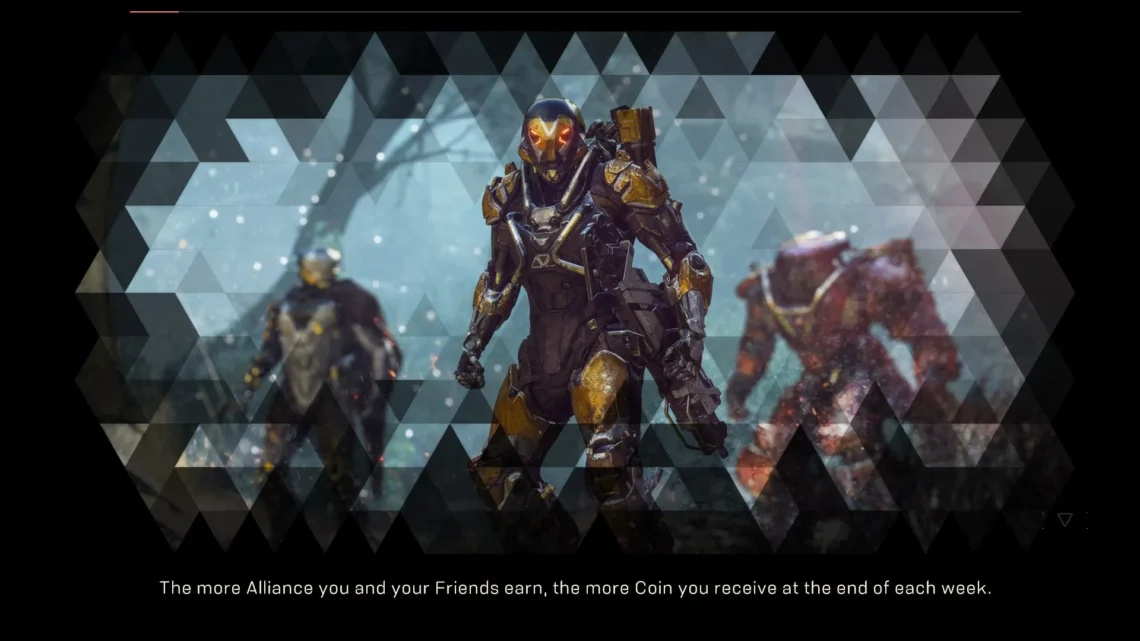
Not every loading screen is a technical necessity, since some are kept for how they make the wait feel. A screen with tips, artwork or a moving animation reassures you that the game has not frozen, which is far more comfortable than staring at a still image and wondering if it has crashed.
Developers have long wanted to make these moments more fun, but history got in the way. Namco patented the idea of playable mini-games during loading screens back in 1995, and that patent kept the feature rare until it finally expired in 2015, after which studios were free to experiment again.
Even now, many choose not to, since building a polished mini-game is an expense most would rather pour into the main experience. The humble loading screen, complete with its rotating lore tips, endures partly because it is a cheap and effective way to hold a player’s patience.
The Wait That Won’t Disappear
Loading screens persist because the work behind them, moving and unpacking enormous amounts of data into limited memory, has grown right alongside the drives designed to speed it up. Add shader compilation, online syncing, cross-platform support and the abrupt demands of fast travel, and a brief wait becomes very hard to avoid.
Faster storage and smarter streaming are steadily shrinking these pauses, and clever design increasingly hides them inside the game world itself. The loading screen is slowly fading rather than vanishing, quietly evolving from an unavoidable interruption into an invisible part of how games are built.
FAQ