
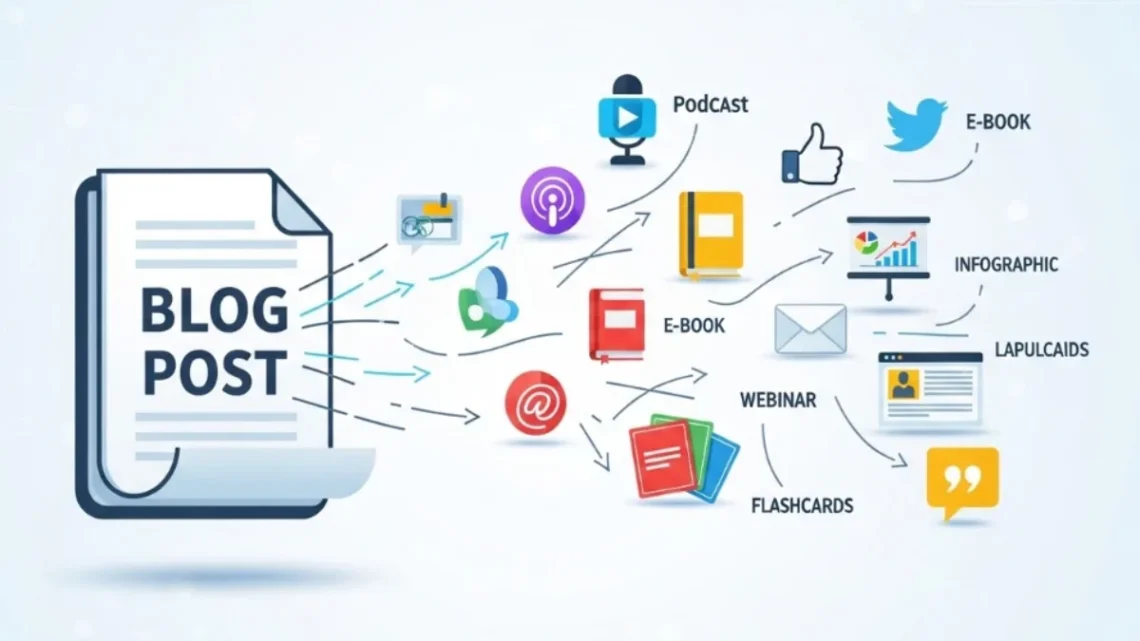
How to Repurpose One Blog Post Into Eight Different Content Formats
One well-researched blog post holds the raw material for eight powerful content formats. Here is how to extract every last drop of value from what you have already written.
You spent three days on that blog post. You interviewed two sources, pulled credible data, edited five drafts, and hit publish on a Tuesday morning.
By Friday, traffic had trickled back to normal. The post sits there, working quietly in the background, while you start the whole exhausting cycle again for next week’s content.
Trending Now!!:
That is the content treadmill, and most creators, marketers, and publishers never get off it because nobody told them the obvious truth: the blog post you already wrote is not one piece of content. It is eight, at minimum.
After more than a decade of producing content for digital publications, brand platforms, and independent blogs, the single habit that changed everything was not writing faster or publishing more.
It was learning to extract maximum value from what was already written. Content repurposing, done with real intention, is not about shortcuts. It is about being strategically thorough with the effort you have already put in.
Here is how to do it properly.




Why Most Bloggers Leave 80% of Their Content Value on the Table
Audience attention has fragmented across multiple channels, and not everyone consumes content in the same format. Some prefer video, others favour audio, and many want bite-sized pieces they can quickly process during a busy schedule. A single blog post, no matter how well researched, will never reach all of them.
The mistake most content creators make is treating publication as the finish line. It is not. Publication is the starting point.
Repurposing effectively amplifies your message, boosts SEO by creating topic clusters, and turns a single piece of content into a powerful engine for sustainable growth. That is not a marketing slogan. It is the operational reality of every high-output content team that is actually growing.
Repurposing reduces content creation time significantly. The research, writing, and editing are already done. What remains is converting that work into new formats, without starting over. The labour-intensive part, the thinking, is behind you.
Choosing the Right Post Before You Repurpose Anything
Not every blog post deserves the repurposing treatment. Some posts were topical, timely, and already fading. Others are what the industry calls “pillar posts” or “evergreen content,” the kind that stays relevant for years and keeps attracting organic search traffic long after publication.
Start with your most valuable, evergreen content. These comprehensive, long-form articles provide the richest material for adaptation.
A good post to repurpose answers a question your audience keeps asking, contains frameworks or data that do not expire, and ideally has already demonstrated organic reach through search impressions, time-on-page, or social shares.
Gather performance data for each piece before deciding. Look at website visits, audience engagement, and conversions. Tools like Google Analytics will show you which blog posts people read the most. Pick the winners. Repurposing a weak post in eight different directions produces eight weak pieces of content. Start from strength.
Format One: The YouTube or Short-Form Video
The most natural first conversion from a long-form blog post is video. Not because it is easy, but because short-form video and images rank as the highest ROI content formats, often starting from a well-developed blog, and they require less production time than most creators assume.
How to Turn a Blog Post Into a Video Script
The mistake here is reading your blog post aloud and calling it a video. That is not repurposing. That is recycling, and viewers feel the difference.
Instead, pull the three to five most impactful insights from your post and build a tight script around those alone.
A 2,000-word blog becomes a seven-minute YouTube video, not a twenty-minute lecture. For short-form content on Reels, TikTok, or YouTube Shorts, take a single section of your post, the most counterintuitive point or the strongest practical tip, and build sixty seconds around it.
A detailed guide on your blog can become the source material for an engaging YouTube video, a shareable infographic, a series of podcast episodes, and dozens of social media snippets, magnifying the ROI of your initial content creation effort.
What to Watch Out For
The camera is unforgiving with vague writing. If your blog relied on qualifications and hedges, that murkiness will sound worse on video. Tighten the language when adapting to the script. Lead with a hook, not a preamble.
Format Two: The Email Newsletter
Newsletters generate ad revenue more quickly than podcasts, videos, or websites, according to 46% of newsletter professionals surveyed in HubSpot’s 2025 State of Newsletters Report. Beyond monetization, email remains the most direct channel a publisher controls. Algorithms do not touch your subscriber list.
How to Convert a Blog Post Into a Newsletter
Do not paste your entire blog into an email and call it done. Newsletter readers have a different relationship with the content than search-driven blog visitors. They came because they trust you, so the newsletter version of your blog post should feel like a personal note, not a republished article.
Pull the most useful insight from your post, write two or three paragraphs explaining it in a more conversational register, then link back to the full article for readers who want more. This approach drives traffic back to the post, builds familiarity with your voice, and respects the limited attention span of an inbox.
Repurposing blog content for email newsletters works best when the content is segmented according to different audience interests. If your blog covers multiple themes, your newsletter can surface the section most relevant to a specific subscriber segment.
Format Three: The Podcast Episode
If you do not have a podcast yet, consider this seriously. Someone who loves listening to podcasts on their commute might never read your detailed blog post. By turning that post into an audio version, you have found a new audience member who would never have discovered you otherwise.
Turning Written Content Into Audio Without Sounding Like You Are Reading
The best podcast episodes converted from blog posts are not readings of the blog. They are conversations sparked by the blog. Use your post as the episode brief and record yourself talking through the ideas with a guest, a co-host, or even alone in a more spontaneous delivery.
Clients regularly see three to five times ROI through strategic content repurposing in podcast-focused distribution.
The audio format also creates its own repurposing opportunities downstream. Transcripts become new blog content. Notable quotes become social posts. Clips become Reels. One podcast episode, originally seeded from a single blog post, multiplies rapidly.
Format Four: The Infographic
Some people simply do not read. They scan, they absorb visuals, and they share images far more readily than text links. Turning data, numbers, and statistics from a blog post into an infographic lets complicated information be explained significantly faster, and a well-designed graphic travels widely on social platforms.
How to Structure a Blog-to-Infographic Conversion
Identify the numerical or sequential elements of your post: statistics, step-by-step processes, comparisons, timelines.
These translate naturally into visual formats. A blog post titled “10 Habits of High-Performing Content Teams” becomes a vertical infographic with icons for each habit and a clean hierarchy. The words shrink. The concept survives.
Tools like Canva help produce infographics even without a professional design background, and AI video generators can also summarize ideas visually for Instagram, Pinterest, and other social platforms. The barrier to entry is lower than most bloggers think.
A Practical Tip From Experience
Design your infographic in modular sections. When creating an initial infographic or slide deck as self-contained blocks or sections, it becomes significantly easier to later extract those modules and repurpose them into additional formats without a complete redesign. Think ahead. Design once, slice many times.
Format Five: The LinkedIn Article or Carousel
LinkedIn has become one of the most rewarding organic distribution platforms for professional and B2B content, particularly for long-form articles and carousel posts. The platform actively rewards thoughtful, experience-driven content in ways that Facebook and Instagram often do not.
LinkedIn Article vs. LinkedIn Carousel: Knowing Which to Use
A LinkedIn article works best when your blog post contains a strong argument, a case study, or a personal story with professional stakes.
Republish a condensed version of the post as a native LinkedIn article, adapting the tone for a professional audience and including a link back to your site.
A LinkedIn carousel, which is a multi-slide PDF post, works best when your blog post contains a list, a framework, or a step-by-step process.
For LinkedIn specifically, data-driven insights and counterintuitive angles work best, while benefit-focused formats thrive on more visual-first platforms like Instagram. Know your platform and adapt accordingly.
Format Six: The Twitter or X Thread
A well-written blog post contains multiple distinct arguments, each capable of standing alone as a provocation or insight. That is the raw material of a good thread.
Anatomy of a Blog-to-Thread Conversion
Start with the most provocative or surprising point in your blog post as the opening tweet. Frame it as a statement that creates curiosity or mild tension. Then use subsequent tweets to unpack that argument, one idea per tweet, with the structure flowing naturally from your original post.
The thread format rewards precision. Every tweet that buries the lead loses readers. Go back through your blog post and strip each section to its core claim. If you cannot say the essence of a paragraph in under 280 characters, the paragraph probably needed editing anyway. This exercise makes you a sharper writer as a secondary benefit.
Creating a checklist that ensures every blog post automatically generates social assets as soon as it is published is how high-output creators build a consistent presence without constantly creating from scratch.
Format Seven: The Downloadable PDF Guide or Lead Magnet
This is where repurposing starts making money directly, and it is the format most bloggers completely overlook.
A well-researched blog post, reformatted with better visual hierarchy, section breaks, a cover page, and a clear call to action, becomes a downloadable PDF guide. That PDF becomes a lead magnet. That lead magnet grows your email list. That email list is the most valuable asset a content business owns.
What Makes a Blog Post Ready for PDF Conversion
Not every post converts cleanly to a PDF lead magnet. The ones that do tend to be comprehensive, instructional, and structured around a clear outcome.
A post called “How to Write a Cold Email That Gets Replies” converts naturally. A personal essay about your content journey does not.
A B2B company could turn a blog post into a downloadable PDF checklist for their newsletter, along with a webinar and a series of short videos highlighting key statistics from the article. The PDF does not need to be long. It needs to be useful enough that someone would trade their email address for it.
The Design Consideration
Resist the urge to make the PDF look like a printed webpage. Use clean formatting, branded colours, a table of contents for longer guides, and consistent spacing. The perceived value of a beautifully formatted PDF is dramatically higher than that of a raw Word document export, even when the content is identical.
Format Eight: The Slide Deck or Webinar Presentation
Slide decks are underutilized by independent bloggers and overused by corporate teams who create them poorly. The sweet spot is somewhere between a listicle blog post and a research-backed keynote.
Converting Blog Posts Into Slides That Actually Teach Something
Converting blog content into professional slide presentations involves maintaining key information while adding visual appeal. It is a natural process because the blog post already structures the argument.
Each major section of your blog becomes a slide or a slide cluster. Supporting points nest as bullet points under each heading. Data gets visualized. Quotes get featured.
The slide deck then becomes the foundation of a webinar. The webinar, once recorded, loops back to become a video. The video transcript becomes another blog post. This is the full content atomization cycle in motion, and it all started with a single well-written article.
The Content Atomization Workflow: Putting It All Together
Understanding each format individually is useful. Having a system to move between them reliably is what separates content creators who scale from those who burn out.
Build the Repurposing Map Before You Publish
A content atomization plan breaks down the blog post into its main sections, key takeaways, statistics, and quotes, then maps each component to a potential new format.
Do this before the post goes live, not six months later. The moment your research is freshest is the moment you should be deciding which pieces will become videos, which sections will become LinkedIn carousels, and which data points will anchor the infographic.
Prioritize Based on Platform Strength
Not every creator needs to be on every platform. A personal finance blogger with a strong newsletter audience should prioritize the email and PDF formats first.
A fitness coach with a visual audience on Instagram should prioritize the infographic and Reels conversion. The platforms where your audience already trusts you are where repurposed content will perform best first.
Repurposed content works best when aligned with business goals rather than random posting. Using social platforms strategically amplifies the blog’s impact.
The Sequencing That Works
From a decade of doing this, the order that consistently produces the best results starts with email, then social media clips or carousels, then the infographic, then the video, then the podcast, then the PDF, and finally the slide deck or webinar.
Email first because your existing audience is your warmest traffic. Webinar lasts because it requires the most production effort and benefits from social proof built across the earlier formats.
Common Mistakes to Avoid
The biggest mistake is treating repurposing as copying and pasting. Each format serves a different audience with different expectations. The person reading your LinkedIn article is not in the same headspace as someone watching your Reel at midnight.
The second mistake is repurposing your weakest content. Garbage in, garbage in eight different formats. Repurpose from your highest-performing posts first.
The third is losing the human voice in translation. The reason your blog post resonated is your specific perspective on the topic. That perspective must survive the conversion to every format. A slide deck that strips out your voice and replaces it with generic bullet points has wasted the repurposing effort entirely.
The Long Game: How Repurposing Builds Topical Authority
When the same core ideas appear consistently across platforms, it builds familiarity and credibility. Consistent messaging reinforces authority without feeling repetitive. Search engines, particularly Google, reward this kind of topical depth.
Reusing content strategically signals to Google that your site is a comprehensive resource on a topic, which supports topical authority and consistent organic traffic over time. The blog post you wrote today, repurposed thoughtfully into eight formats, is quietly building the kind of domain credibility that takes years to replicate from scratch.
That is the real argument for content repurposing. It is not a time-saving hack. It is a compounding content strategy.
Every format you create from a single well-researched post adds another signal to the web that you are the authoritative voice on that subject. Over time, those signals accumulate into traffic, trust, and revenue that a single-format publishing strategy simply cannot match.
Write one great post. Then let it do eight jobs.
What People Ask